


Left to our own devices

Animated gif with handwritten, scanned annotations. The gif was taken from a screen-recorded video of myself, using the application.
A network graph can't convey the uncanny thrill of finding what you knew was already there—or what you thought you knew. Herewith, a deep dive into the ancient art of port scanning and the secrets your router isn't telling you.

Animated gif and my comments on port, OS, and network scan run at home in Oakland CA, May 2016.
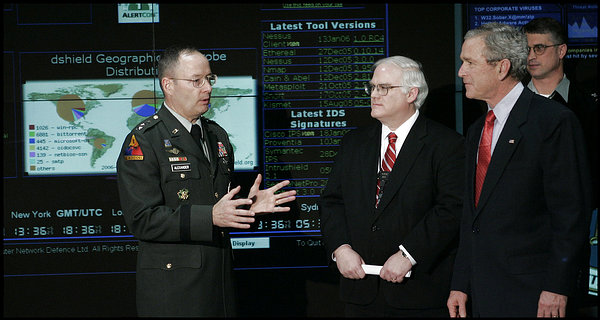
President George W. Bush visits the NSA in 2006. NMap is on the list of security tools behind them. Via nmap.org
Introduction
Two years ago, I created a port scanner and network visualization application (see code here). Upon revisiting the project, I was frustrated by what I saw as a cognitive gap between mousing over network hosts, nodding, "The red dot is running Linux 2.6; the blue dot is an iPhone," and understanding the significance of what I was seeing.
As I re-engaged with my application, I realized: the network graph I'd originally used to display available host data needed context. It was only a first step toward a more informative tool. The diagram distills the network data and is much easier to understand than Terminal output. Even so, I had to manually research the names of services, after developing an application that was supposed to clarify this data.
With respect to the actual sleuthing experience, a graph can't convey the odd exhilaration of Googling service names over and over again to figure out what they mean. I plumbed the depths of nerdery, perusing Comcast messageboards and the Cisco Network Professional guides, all in the name of hunting down info about my router.
Sitting at home, opening up Terminal to type in commands so that my computer can find devices that are likely within reach, and still being surprised to confirm their existence by machines talking to each other through the air, is weird. It also illustrates some of the concepts underlying the most urgent security breaches today.
By sharing my adventure of tracking down a strange network node and discovering it in my living room, I hope to 1. clarify the impact of what I learned, as a way demonstrating the shortcomings of the graph UI. 2. explain some internet fundamentals to a perhaps tech-savvy, but non-technical audience, and why a technology first invented in 1981 remains as relevant as ever. But first, some background.
What is port scanning?
In order to access your e-mail, smartphone, or any other external device, your computer's operating system opens up ports, entry points for sending and receiving messages across platforms and protocols. Some ports exist on the outside of a device, like a headphone jack or USB connector. When you plug a headset into your laptop, your operating system gets a signal to create a connection between them, so that sounds from your computer travel to your headset. Similarly, in the case of virtual ports, the operating system knows to connect to e-mail when it receives a request for port 25, commonly associated with SMTP (Simple Mail Transfer Protocol).
Opening up a system to communicate with the outside world also exposes it to potential vulnerabilities. Someone could break in, change all your passwords, and install a virus, for instance. Port scanning is a technique for checking which activities (such as e-mail, filesharing, remote server access), across all the devices on a given network, might be available to outsiders.
The investigation begins by searching for what hosts are up and running on a network, scanning each one to find open ports, and mapping that set of port numbers to their corresponding services. Let's unpack this:
Every host that connects to the internet has an IP address, a sequence of numbers that identifies a host and its network. For example, in the case of 10.0.0.1, 10.0 represents the network and 0.1 identifies the host.
The simplest way to check which hosts are up is a little network utility from 1983 called Ping. Ping sends packets, the smallest unit of information that be sent over a network to all of the possible IP addresses available in a network and listens for an echo. If it hears a response, then the host it up. Otherwise, it's not.
The process of ports scanning works similarly by sending packets to the IP addresses that echoed back, and evaluating the response. Think of it as identifying the doors and windows a criminal could use to break into a house, as opposed to actually breaking in. Security experts use scanning as a precautionary measure. Hackers use it as a first pass at exploitation.
For my app, I used one of the most well-known network scanning utilities, an open-source program called NMap (Network Mapper). First released in 1997, NMap was partly inspired by a scanner developed two years earlier by Julian Assange, now the infamous editor-in-chief of WikiLeaks. NMap is unique in its targeted approach to the types of packets it sends to a host by default, as well as being highly customizable. Users can also contribute scripts to discover networks, get further information about versions of hardware and Operating Systems, and to test for vulnerabilities.
A descent into my router
The gifs that open this piece display scans of my local network, where I could identify my MacBook Pro, iPhone, and Roku, but two other hosts, IP's 10.0.0.1 and 10.0.0.254 eluded me. I'm not running any Linux servers.
My hunch was that these two hosts were related to my router, since IP's ending with .1 and .254 are commonly associated with them. Not always, though. Regardless of what the devices were, I was concerned thatsomething on my network had fourteen ports open. Ports 22-443 are well-known internet protocols—what about the other nine?
In looking up each service, I could confirm that the Linux box wassomehow related to my combined router-modem. I saw that port 2601 on 10.0.0.1 was running Zebra, a type of routing software for Linux. I also saw that Port 1027 was running IIS (Internet Information Services), a web server for Windows. And port 1026 referred to LSA-or-nterm, a remote login terminal.
But one piece of information still didn't make sense: the MAC Address, effectively the hardware's Social Security Number, was one digit off from the one listed on my cable modem. MAC Addresses are hardwired into a computer's Network Interface Card; NMap will either report the correct address or call it Unknown. The address was not an error.
The MAC Address that NMap's output most closely resembled was that of the Wide Access Network (WAN). A WAN covers a large geographic region, as opposed to a Local Area Network (LAN) also known as your home network. Since I used NMap to scan my local network, then the MAC address it printed out must refer to the LAN. This information isn't included anywhere on the hardware! I would have to hack my router.
By typing '10.0.0.1' into the browser and searching for the default username and password for the Cisco version number, I logged in. I found the following:

The MAC address of my router matches NMap's output. At the same time: the fact I could search for the default login and break into my router is BAD! The same information can be used to log into any other Comcast router with the same Cisco hardware, provided that you are connected to the LAN. If you have a guest over using your Wi-Fi and he or she does something illegal, as owner of the network, you will be to blame.

"If you're unfamiliar with firewall settings, keep the default security level to Minimum Security (low), despite the fact that the 'Medium' setting is 'Typical' for ... someone who knows better(?). This is abominable user experience and general advice.

You can only change your Admin Tool password if you are able to access it. To access it, you need to know how to hack it. Hm.

"You might." Come on.
The above images illustrate Comcast's seemingly mixed message to users regarding security. If you don't know what you're doing, trust your ISP and remain vulnerable. Otherwise, if you know better, take the necessary precautions.
I verified host 10.0.0.1, but 10.0.0.254 still remains a mystery. What initially stood out for me was its strange MAC address of 05:04:03:02:01. According to recent Comcast/Xfinity messageboards, other users have the same question. Additionally, unknown open port 4912 was a target of hackers in 2014. And finally, after poking around, I also discovered that my router, which was set up in 2014 was being used as a public hotspot. When I check the Wi-Fi networks in my vicinity, one called xfinitywifi shows up along with my own. Fortunately, there's an option to disable the service on the Comcast site.
Conclusion
It's amazing how a portscanning program written in 1997, years after TCP/IP was first invented, that has continued to evolve over twenty years in part from its users submitting known vulnerabilities and the identifying respective ports and services, can still help us assess security flaws today. The web has become incredibly complex, as have hackers' techniques, but the underlying principles haven't changed. I was able to find potential loopholes in my router that leave my network open to attacks.
Comcast's lack of transparency with regard to how they set up a residential gateway, coupled with the lousy UI on the admin console was telling. They don't expect users to care about security, and their suspicious default settings intend to keep it that way. Comcast is just one example of a company whose products contain backdoors and obfusgated policies. The same can be said of most companies that produce our most trusted connected devices and applications.
This is why we all should maintain a healthy level of scepticism with the devices and software we rely on. Port scanning is both an entry point to tracking down network info, as well as a good entry point into learning about security. Ideally, I would want a product that includes explanations of what each service is. In the interim, it takes a lot of persistent Googling—I think it's worth it.